Skills That Write Themselves
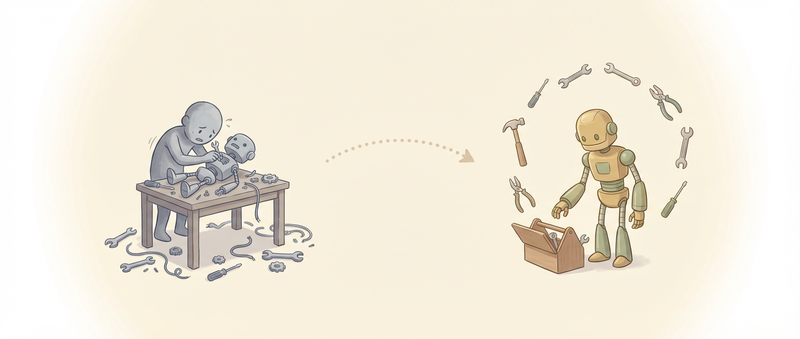
Last week I wrote about Pi’s four-tool constraint and Mario Zechner’s philosophy of radical minimalism. But here’s the obvious question: how do you do anything useful with just read, write, edit, and bash?
The answer is mom — short for “Master Of Mischief.” It’s a Slack bot Mario built on Pi that does something I haven’t seen elsewhere: it manages itself.
The Setup Problem
Traditional AI agents require you to configure everything upfront. Install dependencies. Set up credentials. Define tools. Configure integrations. The agent is powerful, but only after you’ve done the work to make it powerful.
mom flips this. You give it Slack access and some API keys. It handles the rest.
Need git? mom runs apk add git inside its Docker container. Need to call an API? mom asks for the credentials, stores them appropriately, and writes a CLI wrapper. Need a capability that doesn’t exist? mom writes a skill for it.
The agent becomes responsible for its own environment.
The Workspace
mom’s self-management works because of a carefully designed workspace structure. Since mom is a Slack bot, the hierarchy maps to Slack channels — but the pattern works for any multi-context setup:
./data/
├── MEMORY.md              # Global context across all Slack channels
├── settings.json          # Configuration
├── skills/                # Reusable tools (global)
├── C123ABC/               # Per-channel directory (Slack channel ID)
│   ├── MEMORY.md          # Channel-specific memory
│   ├── log.jsonl          # Message history (source of truth)
│   ├── context.jsonl      # What the LLM sees
│   ├── attachments/
│   ├── scratch/
│   └── skills/            # Channel-specific tools
Two things matter here.
First, the two-file memory system. There’s a global MEMORY.md that persists across all channels, and a channel-specific MEMORY.md for local context. mom reads both before every response and can update them on request. This isn’t RAG or vector search — it’s just markdown files the agent knows to check.
Second, the skill hierarchy. Skills in /workspace/skills/ are global. Skills in /workspace/{channelId}/skills/ are channel-specific and override global ones. mom discovers available skills by reading SKILL.md files from both locations.

Self-Installing Tools
mom runs in Docker with only the data directory mounted. The container mounts only the data directory — the host filesystem is invisible. The container starts minimal — Alpine Linux with almost nothing installed.
When mom needs a tool that isn’t there, it installs it:
apk add git jq curl
The system prompt instructs mom to determine the appropriate package manager based on the container OS. Alpine uses apk. Debian uses apt. The agent figures it out.
Changes persist across sessions because the container stays running. mom installs git once, and it’s there for every future conversation. If the container gets recreated, mom has logged what it installed to SYSTEM.md and can restore the environment.
Self-Creating Skills
Here’s where it gets interesting. mom doesn’t just use skills — it creates them.
A skill is a directory containing a SKILL.md file and optional scripts:
/workspace/skills/note/
├── SKILL.md
└── note.sh
The SKILL.md has YAML frontmatter defining metadata:
---
name: note
description: Create and manage notes in the workspace
---

# Note Skill

Usage: `./note.sh <action> [args]`

Actions:
- `add <text>` - Add a new note
- `list` - List all notes
- `search <query>` - Search notes
mom discovers skills by scanning for SKILL.md files. The frontmatter goes into context (~100 tokens per skill). The full documentation only loads when mom decides to use the skill.
When mom encounters a task it can’t handle with existing skills, it can write a new one. Create the directory, write the SKILL.md, write the script, and the skill is immediately available. No restart, no configuration, no approval flow.

The Context Sync
mom maintains two JSONL files per channel. JSONL is “JSON Lines” — one JSON object per line, easily appendable and greppable. Each line is a complete message or event.
log.jsonl— the source of truth, containing every messagecontext.jsonl— what the LLM actually sees, synced fromlog.jsonlbefore each response
This separation enables something clever. When context fills up, mom compacts context.jsonl by summarizing older messages. But log.jsonl remains complete. If mom needs to recall something from before the compaction, it can grep log.jsonl directly.
This is what I was describing as intentional compaction — but built into the architecture rather than requiring manual intervention.
The Docker Model
mom’s isolation model is simple: the container mounts only the data directory.
docker run -d --name mom-sandbox \
  -v $(pwd)/data:/workspace \
  alpine:latest tail -f /dev/null

mom --sandbox=docker:mom-sandbox ./data
mom executes commands inside the container via docker exec. It can install packages, write files, run scripts — but only within the mounted workspace.
This isn’t perfect security. Credentials stored in the workspace are accessible to the container. A malicious model could exfiltrate them. There’s no built-in secrets manager or credential vault — just files in the workspace. But it’s a reasonable trade-off: contain the blast radius without pretending you can prevent all harm.

Skill Hierarchy in Practice
The two-level skill system — global and channel-specific — enables useful patterns.
Say you have a global github skill that wraps gh CLI. Works fine for most channels. But your work channel needs to use a different GitHub org with different credentials. You create a channel-specific skill that overrides the global one:
/workspace/skills/github/SKILL.md         # Global: personal GitHub
/workspace/C123ABC/skills/github/SKILL.md # Override: work GitHub
mom checks channel-specific skills first. If it finds a match, it uses that. Otherwise, it falls back to global. The override is implicit — no configuration, just file placement.
Event-Driven Wake-ups
mom isn’t limited to responding to messages. It supports three types of scheduled events:
- Immediate — one-shot execution right now
- One-shot — scheduled for a specific future time
- Periodic — cron-based recurring execution (cron is the Unix scheduler format:
0 9 * * *means “9am every day”)
A DevOps channel might schedule mom to check deployment status every morning at 9am. mom wakes up, runs the health check, writes findings to MEMORY.md, and goes back to sleep. When you check in later, the summary is already there.
Webhooks work similarly. External systems can POST to mom’s endpoint, triggering an agent run with the webhook payload as context. CI/CD pipelines, monitoring alerts, calendar events — anything that can send HTTP can wake mom.
The agent runs, handles the event, and persists state to the workspace. No human in the loop required.
What This Enables
mom’s self-management enables workflows that would be tedious to configure manually:
Credential accumulation. The first time you mention GitHub, mom asks for a token, stores it in the workspace, and configures gh CLI. Next time, it just works. Over time, mom accumulates the credentials and tools for your specific workflow. (Yes, this means credentials live as files in the workspace — the security model is “contain the blast radius,” not “prevent all access.”)
Context-specific skills. A channel for DevOps work might have skills for Kubernetes and AWS. A channel for writing might have skills for grammar checking and research. Each channel’s skill directory reflects its purpose.
Autonomous maintenance. Scheduled wake-ups mean mom can do background work — checking logs, updating dashboards, sending reminders — without waiting for you to ask.
What Power Users Build
Armin Ronacher runs Pi with a collection of custom extensions that demonstrate the pattern at scale. His setup includes:
/answer— reformats agent questions into dialog boxes for cleaner interaction/todos— manages to-do lists as markdown files in the workspace/review— code review interface with branching for iterative feedback/control— multi-agent experimentation, running parallel approaches/files— lists changed/referenced files with quick-look support
He also replaced MCP servers entirely with CLI-based skills. Browser automation via Chrome DevTools Protocol (CDP is how tools like Puppeteer talk to Chrome — Vercel’s Agent Browser takes the same approach, reducing token usage by 93% compared to Playwright MCP). Changelog management. Commit tooling. All implemented as skills the agent reads on demand rather than tools loaded at startup.
The pattern works because skills are just files. Write a SKILL.md, maybe a script, and you’ve extended the agent. No plugin API to learn, no registration system, no restart required.
The Taste Problem
I wrote about the taste problem — how vibe-coded contributions often lack the judgment that makes software coherent. mom’s self-extension could easily become a mess of poorly-designed skills.
The mitigation is structure. Skills have a defined format. The SKILL.md requires you to think about when the skill triggers (frontmatter) and how it executes (documentation and scripts). mom can extend itself, but the extension points are constrained.
This doesn’t guarantee good skills. But it raises the floor. A bad skill is at least a bad skill with proper metadata and documentation, not a random script mom decided to run.
The Philosophy
Traditional software is rigid. You ship features, users consume them, changes require releases. mom treats code as clay — reshaping at runtime based on what’s needed.
This isn’t new. Emacs has been self-extending for decades. But mom applies the philosophy to AI agents: the agent itself decides what capabilities to add, implements them, and uses them.
The question is whether you trust the agent’s judgment. mom requires that trust. In return, it handles the tedium of environment setup and lets you focus on what you actually want to do.
What Makes This Work
Self-managing agents aren’t magic. They’re just agents with three things: good defaults, a workspace they’re allowed to modify, and constraints that channel the chaos.
The skill format is the key constraint. Without structure, mom would create a mess of one-off scripts with no documentation and inconsistent interfaces. The SKILL.md requirement forces organization. The frontmatter forces you to think about discovery. The documentation forces you to think about usage.
The pattern is malleable code within rigid boundaries. The agent can write whatever skills it needs, but those skills must follow a format. The agent can install whatever tools it wants, but those changes are logged and reproducible. The agent can accumulate credentials, but they live in a known location with a known security model.

This is the opposite of the “AI will figure it out” approach. It’s more like: AI will figure it out, within guardrails that keep the figuring-out coherent.