Four Tools and a Lobster
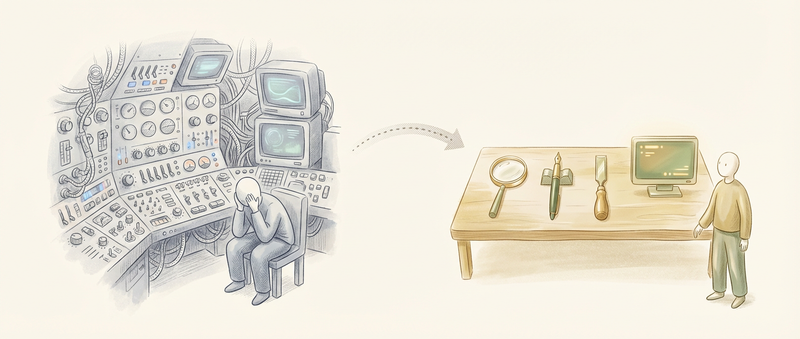
You might have heard of OpenClaw — the open-source AI assistant running on everything from WhatsApp to a Raspberry Pi, mass adoption, mass controversy. What powers it is a tiny agent called Pi, built by Mario Zechner with a philosophy I haven’t seen elsewhere: “if I don’t need it, it won’t be built.”
The result? Four tools. A system prompt under 1,000 tokens. No MCP. No plugin ecosystem. It’s YAGNI applied to agent architecture.
The Spaceship Problem
Mario built Pi because existing coding agents became, in his words, “a spaceship with 80% of functionality I have no use for.” Claude Code, Cursor, Windsurf — they all ship with dozens of specialized tools, elaborate planning modes, and pre-built integrations. The assumption is that more capabilities mean more power.
Pi bets the opposite. Constraints are liberating. They’re architecture.
Four Tools
The entire foundation is four tools:
read— examine files with configurable line limitswrite— create files or complete overwritesedit— surgical text replacement via old/new string pairsbash— command execution with no guardrails
That’s it. No glob, no grep, no specialized search. If you want to find something, you bash a find or rg command. If you want to understand a codebase, you read files directly.

The tool definitions are minimal:
{
  name: "read",
  description: "Read file contents",
  parameters: {
    path: { type: "string", description: "File path" },
    limit: { type: "number", description: "Max lines to read" }
  }
}
No elaborate schemas. No nested options. The model figures out how to use read because it’s read millions of examples of file reading in training. The tool just exposes the capability.
The reasoning: frontier models have been RL-trained extensively on coding tasks. They inherently understand what a coding agent is. You don’t need thousands of tokens of system prompt explaining how to be helpful. The model already knows.
The System Prompt
Most agent harnesses ship with massive system prompts. Claude Code’s runs thousands of tokens — tool descriptions, safety guidelines, behavioral rules, edge case handling, formatting instructions.
Pi’s system prompt is under 1,000 tokens. Here’s roughly what’s in it:
- Tool descriptions (~400 tokens for all four tools)
- Working directory and environment info (~100 tokens)
- Project context file reference (AGENTS.md) (~50 tokens)
- Basic behavioral guidelines (~200 tokens)
No elaborate persona. No safety theater. No “you are a helpful assistant who…” preamble. The model knows it’s a coding agent because it’s being asked to code.
This isn’t minimalism for its own sake. Every token in your system prompt is a token that isn’t available for actual work. If you burn 5,000 tokens on instructions, you’ve shrunk your effective context window by 5,000 tokens. Do that across a long session with compaction, and the overhead compounds.
Armin Ronacher, who switched to Pi after trying most alternatives, puts it directly: the system prompt is “the shortest of any agent.” He runs Pi almost exclusively now, replacing Claude Code, Cursor, and custom setups. The minimal prompt isn’t a limitation — it’s why the agent stays focused.
YOLO by Default
Here’s where Pi gets controversial: no permission checks.
Most coding agents implement elaborate approval flows. “The agent wants to run rm -rf. Allow?” The theory is safety. The practice is theater.
Once you give an agent code execution, artificial restrictions are futile. A sufficiently capable model will find ways around guardrails — or you’ll click “approve” a hundred times and stop reading what you’re approving. Either way, the safety is illusory.
Pi acknowledges this. Unrestricted filesystem access. Any command without permission checks. The “sandbox” is your judgment about what you ask it to do, not a popup you’ll learn to ignore.
Against MCP
I’ve written about MCP and context bloat before. Pi takes a strong stance: no MCP support at all.
The argument is architectural. MCP servers load tools into your context at startup. Take Playwright MCP for browser automation:
- 21 tools loaded at startup
- 13,700 tokens in system prompt
- Present whether you need browser automation or not
That’s 13.7k tokens of your context window gone before you’ve typed anything. Add a few more MCP servers and you’re burning 30-40k tokens on tool descriptions alone.
Mario’s alternative is embarrassingly simple: CLI tools with README documentation.
- Shell script:
playwright-browse.sh - README: ~225 tokens explaining usage
- Loaded only when the agent reads the README
When the agent needs browser automation, it reads the README, understands the interface, and calls the CLI via bash. When it doesn’t need browser automation, those 225 tokens don’t exist in context.
The math is stark. A session that might use browser automation once:
- MCP approach: 13,700 tokens for the entire session
- CLI approach: 225 tokens when actually needed, 0 otherwise
The difference isn’t just token count. It’s progressive disclosure. MCP front-loads everything. CLI tools load on demand. For agents that do many different things across a session, the savings compound.

No Built-in Planning
Pi doesn’t have a planning mode. No to-do lists. No automatic task decomposition.
The reasoning: planning modes create model state-management overhead. The agent has to track what it planned, what it completed, what changed. That’s cognitive load that could go toward the actual work.
If you need a plan, write it to a file. The file persists across sessions. You can edit it. The agent can read it. But the state lives in the filesystem, not in some hidden UI abstraction.
This applies to sub-agents too. Pi doesn’t have built-in orchestration. If you want to spawn a sub-agent, you bash it — spawn another Pi instance with a specific task. The parent sees the subprocess output. The delegation is visible, not hidden.
Benchmark Results
You’d expect a minimal agent to underperform feature-rich alternatives. The benchmarks say otherwise.
Terminal-Bench 2.0 tested Pi with Claude Opus 4.5 against specialized harnesses — Codex, Cursor, Windsurf. Pi held its own despite having a fraction of the tooling.
More interesting: the benchmark team’s own Terminus agent provides only tmux access — even more minimal than Pi. It also competed effectively. The conclusion: sophisticated tooling might matter less than we assumed.
The Philosophy
Mario summarizes it as five principles:
- Models self-supervise coding tasks — frontier models need minimal prompting about their role
- Sub-agents risk coherence — parallel feature implementation via spawned agents produces fragmented codebases
- File-based state beats UI state — markdown artifacts outlast sessions and enable cross-session collaboration
- Observability over orchestration — hidden delegations destroy debuggability
- Token efficiency matters — context discipline beats feature maximalism
This isn’t advice for all agents. It’s a specific bet: the best coding agent for experienced developers is one that gets out of the way.
What Pi Powers
Pi isn’t just a solo project. It’s what powers OpenClaw — the multi-channel assistant that’s been generating both excitement and concern lately. OpenClaw adds the infrastructure layer: WhatsApp, Telegram, Slack, Discord, Signal, iMessage, Matrix. But the brain is Pi.
It’s also what powers mom (Master Of Mischief), Mario’s self-managing Slack bot that installs its own tools and writes its own skills. The minimal foundation turns out to be surprisingly extensible.
Feeling the Difference
I spent half an hour with Pi today and I’m still processing what happened. Understanding something intellectually is different from feeling it.
The agent felt snappy running a local model. Not “acceptable for local.” Actually snappy.
GLM-4.7-Flash-Q5-200K running locally on my Framework Desktop (Strix Halo, Ryzen AI MAX+ 395). No cloud API. No internet required. Just a quantized model doing actual work.
I pointed it at my Nix dotfiles repo — flakes, home-manager configs, NixOS hosts, custom packages. Within seconds, it read flake.nix, ran ls -la, read the README, listed the hosts directory. Then delivered a comprehensive breakdown: multi-host management, configuration layers, custom packages, secrets management. It understood the architecture.
No verbose preamble. No elaborate planning. Just read, understand, explain.
Then I pushed it: “I’d love to have a plan mode for yourself, can you help me add that?”
The agent explored the Nix store where Pi lives, found the packages/coding-agent/docs/ directory, read extensions.md to understand the extension API. Then it one-shot created a complete plan mode extension:
import type { ExtensionAPI } from "@mariozechner/pi-coding-agent";

export default function (pi: ExtensionAPI) {
  let inPlanMode = false;
  let planQueue: Array<{ toolName: string; input: any }> = [];

  pi.registerCommand("plan", {
    description: "Toggle plan mode - preview actions before execution",
    handler: async (args, ctx) => {
      // ... complete implementation
    },
  });

  pi.on("tool_call", async (event, ctx) => {
    if (inPlanMode) {
      ctx.ui.notify(`[PLAN] Would execute: ${event.toolName}`, "info");
      return { block: true, reason: "Plan mode: blocked execution" };
    }
  });
}
Command registration, event interception, state management, UI feedback, documentation, a demo script. It figured out from the docs that Pi uses @mariozechner/pi-coding-agent for types and @sinclair/typebox for schemas. It understood the event system, the context object, the UI API.
A local quantized model one-shot created a working extension for an agent framework it had never seen before, by reading the source code and documentation.

And here’s the kicker: I didn’t even restart the agent. /reload, and the new plan mode was live. This is malleable software in practice — the system reshaping itself in response to a conversation. The gap between “I wish this existed” and “now it does” collapsed to minutes.
The minimal system prompt matters more than I understood. With a local model, you feel every token. There’s no massive datacenter hiding the latency. Less system prompt means faster first response, more room for context, more of the model’s attention on your actual task.
The capability floor with a minimal agent is higher than expected. The agent’s performance is bottlenecked by the model, not the harness. A minimal harness lets the model show its actual capability. A bloated harness adds overhead that masks it.
The Trade-offs
Pi isn’t for everyone. The YOLO approach requires trust — in the model, in yourself, in your backups. The minimal tooling means you’re often writing bash one-liners that a specialized tool would handle automatically.
But the trade-off is clarity. When something goes wrong, you know exactly what happened. There’s no hidden orchestration layer, no mysterious context injection, no tools you forgot were loaded.
I’m sold. Not just intellectually — I was already there after reading about it. I’m sold experientially. This is what the future feels like: not more features, not more tokens, not more complexity. Less. Less prompt. Less scaffolding. Less overhead. More actual capability.
Four tools. A tiny prompt. A model that knows what it’s doing. That’s enough.